SEO/AEO
How to track AI traffic in GA4.
Beyond the mention.
AI visibility gets you into the answer. Here is how to see who clicked, where they landed, and whether the visit mattered.
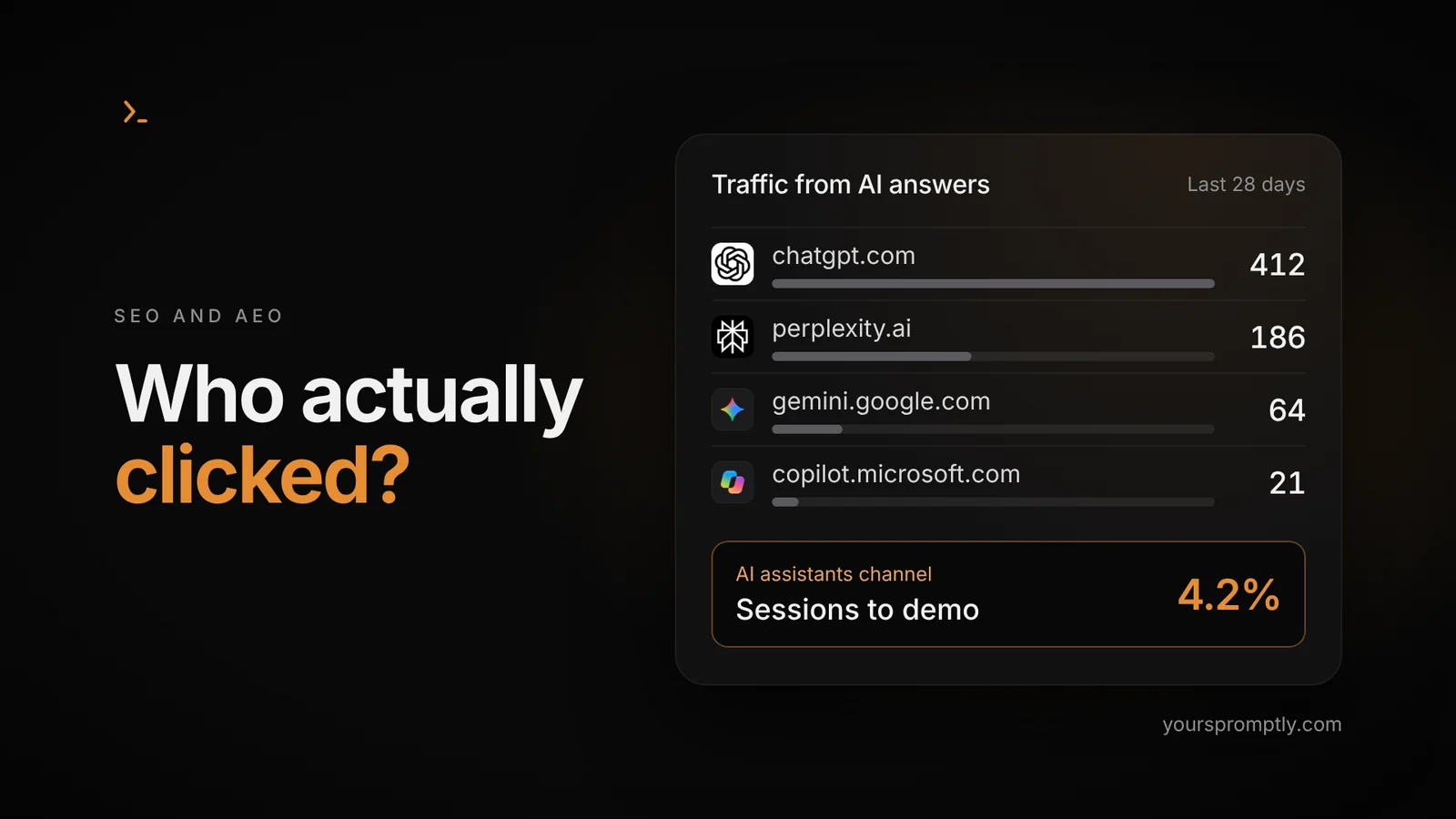
Table of contents
Summary
To check AI traffic in GA4, open Traffic acquisition and look for AI Assistant under Session default channel group. Switch to Session source / medium to see where those visits came from. Then check engagement and meaningful key events. This measures identifiable visits from AI assistants, not every time your brand appears in an AI answer.
AI visibility and AI traffic are different things.
AI visibility means your brand or content appears in an AI-generated answer. AI referral traffic happens when someone follows a link from that answer to your website. A mention can exist without a visit. A visit can exist without a sale.
For a B2B SaaS team, those are three separate questions: are buyers finding the brand, are they visiting the site, and are the right people taking the next step? Put them in separate columns. Your reporting will immediately become more useful.
| Question | What to measure | Where to look |
|---|---|---|
| Is the brand appearing? | Brand mentions and cited pages across a defined set of buyer questions | Repeatable AI-answer checks or an AI visibility tool |
| Are people clicking through? | Identifiable AI-sourced sessions and landing pages | GA4 |
| Are those visits useful? | Demo requests, qualified opportunities and revenue | GA4 key events plus your CRM |
This is a measurement framework, not a claim that every AI-influenced sale can be attributed perfectly.
1. Start with the built-in report.
You need access to the right GA4 property and a website that already sends data to it. Start with the last 28 complete days. Excluding today avoids comparing a partial day with a full one.
- Open Reports Acquisition Traffic acquisition. If your report collection looks different, search for Traffic acquisition.
- Set the table’s primary dimension to Session default channel group.
- Look for AI Assistant. Use the table search to find that row if needed.
- Review sessions, engaged sessions and the key events relevant to your business.
Google introduced the AI Assistant channel on May 13, 2026. Recognized assistant referrers receive the ai-assistant medium. Older tutorials that only tell you to search Referral are missing this newer starting point.
A missing row does not prove you have zero AI visibility. It means this report is not showing identifiable sessions in that channel for your chosen period.
2. Find out who sent them.
Change the primary dimension to Session source / medium. Clear the previous table search first. Search for a source you want to inspect, such as ChatGPT or Perplexity, then read the exact values your property reports.
Source tells you where the session came from. Medium describes the traffic type. Do not require the medium to be referral: recognized assistants may use ai-assistant. Source names can also differ from the domain you expected.
Use session-scoped dimensions for this task. First user source answers how a person was originally acquired, which is a different question from what brought them back this time.
| Look for | What to check |
|---|---|
| ChatGPT / chatgpt.com | Actual source spelling and medium in your property |
| Perplexity / perplexity.ai | Native AI classification and any referral rows |
| Claude, Gemini, Copilot, Grok | Whether recognizable visits appear at all |
| google / organic | Keep separate. Do not relabel all Google search as AI traffic. |
These are source examples to investigate, not a guaranteed list of rows. Google’s AI Assistant channel excludes AI Overviews and AI Mode; those belong to Organic Search.
3. Build a report you will actually reopen.
Once you have checked the basic report, save a focused exploration. The following setup starts with the native channel, so it does not depend on guessing every assistant domain.
- Go to Explore and choose Free form. Name it AI traffic and landing pages.
- Import these dimensions: Session default channel group, Session source / medium, and Landing page + query string.
- Import Sessions, Engaged sessions and Key events.
- In Tab settings, add Session source / medium to Rows and the metrics to Values.
- Add a filter: Session default channel group exactly matches AI Assistant.
- Duplicate the tab. Replace the row dimension with Landing page + query string to see where those sessions begin.
Explorations use the dimensions and metrics you import into their Variables panel. Availability depends on your property and data.
Optional: check referrals the native channel missed
Create a separate tab and remove the native-channel filter. Import Session source and filter it with matches regex. This starter pattern matches the listed domains and their subdomains:
^([a-z0-9-]+\.)*(chatgpt\.com|chat\.openai\.com|perplexity\.ai|claude\.ai|gemini\.google\.com|copilot\.microsoft\.com|grok\.com|deepseek\.com|you\.com|meta\.ai)$Use it on Session source, not Session source / medium. Add exact source names you actually observe if they are not domain-shaped. This pattern is a maintenance list, not a universal AI detector.
Keep this diagnostic tab separate from the native view. Some sessions will appear in both, so adding their totals together would double-count traffic. If you want one combined report, ask your analytics owner for a session segment that includes either condition, using OR.
Do not paste the pattern into an ordinary table search box and expect regex filtering. Use the matching condition explicitly.
4. Measure the next step.
A visit count answers whether someone arrived. It does not answer whether your marketing worked. For SaaS, choose a meaningful action such as a completed demo request or trial signup. A click on a button that opens a form is not the same thing as submitting that form.
Before reporting results, have your analytics owner confirm that the selected key event fires on success, is not duplicated on refresh, and does not include your team’s testing. Then reconcile actual submissions with the CRM.
A simple worked example
Suppose you recorded 100 AI-sourced sessions. Five distinct sessions included a completed demo request. Your session demo-request rate would be 5 ÷ 100 = 5%. If two of those requests became qualified opportunities, record that outcome separately.
Review the landing pages behind those outcomes. If a comparison page attracts relevant visits, make its comparison genuinely useful. If a tutorial attracts visitors who never need your product, more traffic alone is not a reason to double the content budget.
5. Know what GA4 cannot see.
No reporting filter can reveal a link click that never produces measurable traffic. Missing consent, blocked tags and missing source information can all limit what you observe. A copied URL may not carry the original assistant source. Do not decide that every Direct visit must therefore be AI.
GA4 also cannot tell you every prompt that mentioned your brand or every answer that cited your page without a click. Keep a separate, repeatable set of buyer questions for AI visibility checks. Record the assistant, date, question, mention and cited URL. Treat the results as a snapshot, not a census of every answer.
For Google specifically, Search Console now offers generative AI performance reports covering impressions and pages in AI features. Google says these insights reached websites worldwide by August 31, 2026. They complement GA4; they do not turn all organic sessions into identified AI clicks.
A weekly routine, without dashboard theatre
Compare the last 28 complete days with the previous 28. Note source changes, landing pages and meaningful actions. Check lead quality before making budget decisions. Record any tracking change beside the trend so a measurement update is not mistaken for sudden growth.
Pick one action for the next week: improve a weak landing page, fix a broken form, or answer a buyer question your content ignores. Measurement should lead to a decision. Otherwise, it is just a prettier spreadsheet.
Frequently asked questions.
How to check AI traffic in GA4?
Open Traffic acquisition, select Session default channel group and look for AI Assistant. Switch to Session source / medium to inspect individual sources. Use an exploration to review landing pages and relevant key events.
Does GA4 measure AI visibility?
Not in full. It measures identifiable website activity after a visit. Brand mentions, citations without clicks and answers shown to users require separate visibility measurement.
Why is ChatGPT missing from the report?
Check your date range, clear existing filters and inspect actual source values. You may have no identifiable sessions, missing source information, or a tracking limitation. Absence from GA4 alone does not prove absence from ChatGPT answers.
Is filtering by referral medium enough?
No. Recognized assistants can use ai-assistant. Review the native channel and observed sources instead of assuming all assistant visits use referral.
Can GA4 identify every Google AI Overview click?
No. Google classifies AI Overviews and AI Mode within Organic Search. Use Search Console’s generative AI reports for the visibility information they provide, without treating all Google organic traffic as AI traffic.
Is a new tag needed?
The native AI Assistant report does not require a separate AI-tracking tag. Your existing GA4 implementation must be working and permitted to collect the visit. A new script cannot reliably reconstruct a source that was never available.
What is a good AI traffic conversion rate?
There is no useful universal target for every SaaS business. Compare the same meaningful action over consistent periods, check the number of sessions, and check whether the leads become qualified opportunities.